![Koble-RGB_Lockup-Color.png]](https://koblesystems.com/hs-fs/hubfs/Koble/Logo/Koble-RGB_Lockup-Color.png?height=40&name=Koble-RGB_Lockup-Color.png)
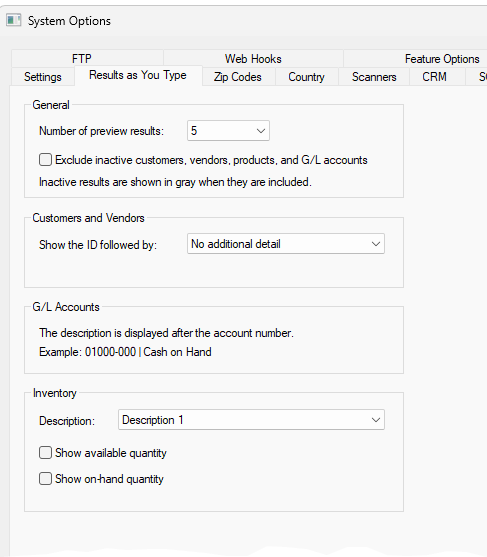
Beginning in 9.0.240.130 additional options have been added to the results as you type previews.
These settings are available to all users with basic level permissions or higher.
Navigate to File > System Options > Results as you Type tab.
If you choose to exclude inactive records from the preview, the user will still be able to manually enter an inactive record if needed.
Setting "Number of preview results:" to 0 will disable the feature entirely for the legacy experience.